
Cyberpunk 2077
Real-world AAA gaming performance benchmark using Cyberpunk 2077 on macOS.
Instructions
1
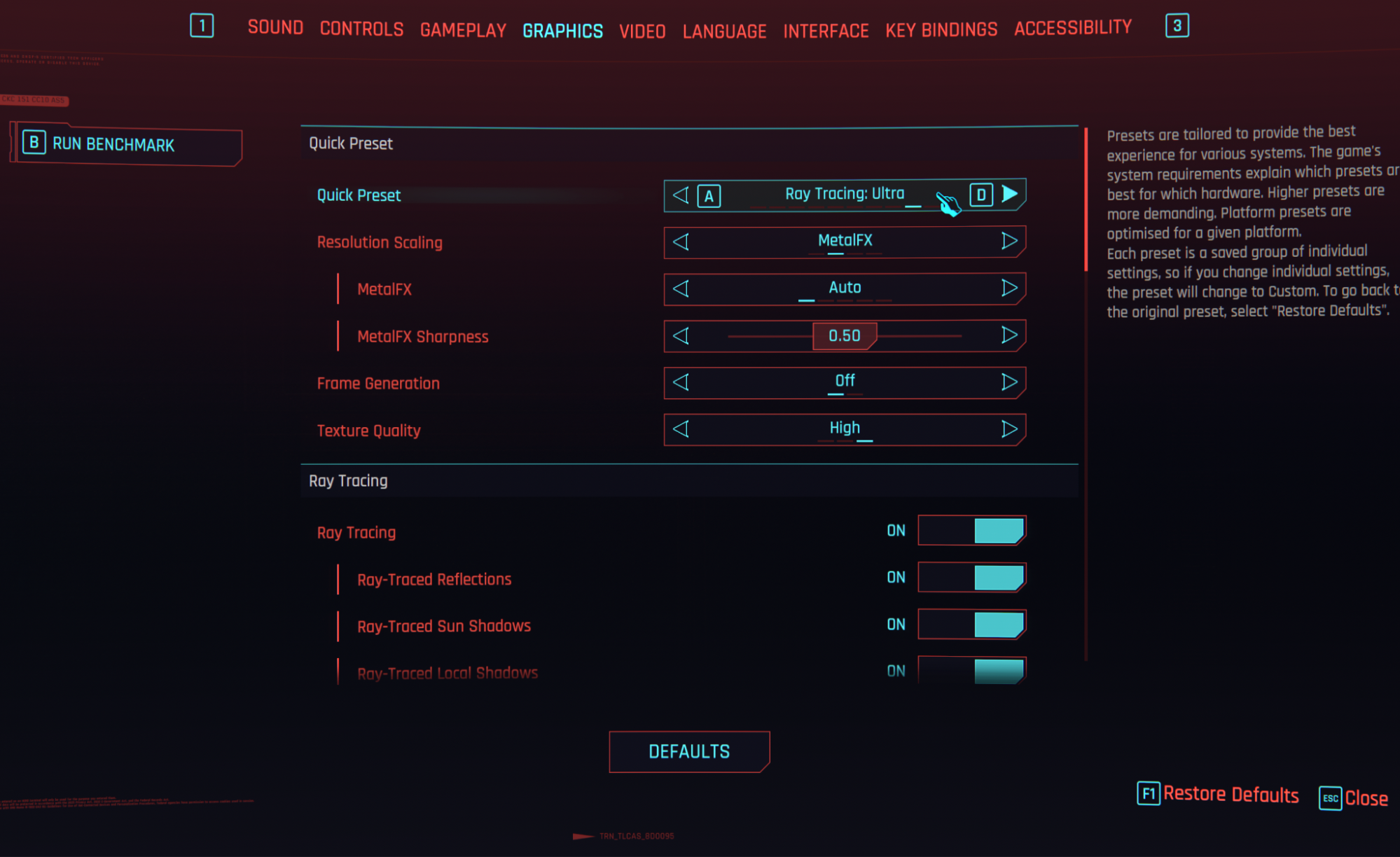
Set the Quick Preset to ‘Ray Tracing: Ultra’ in the ‘Graphics’ settings tab.
2
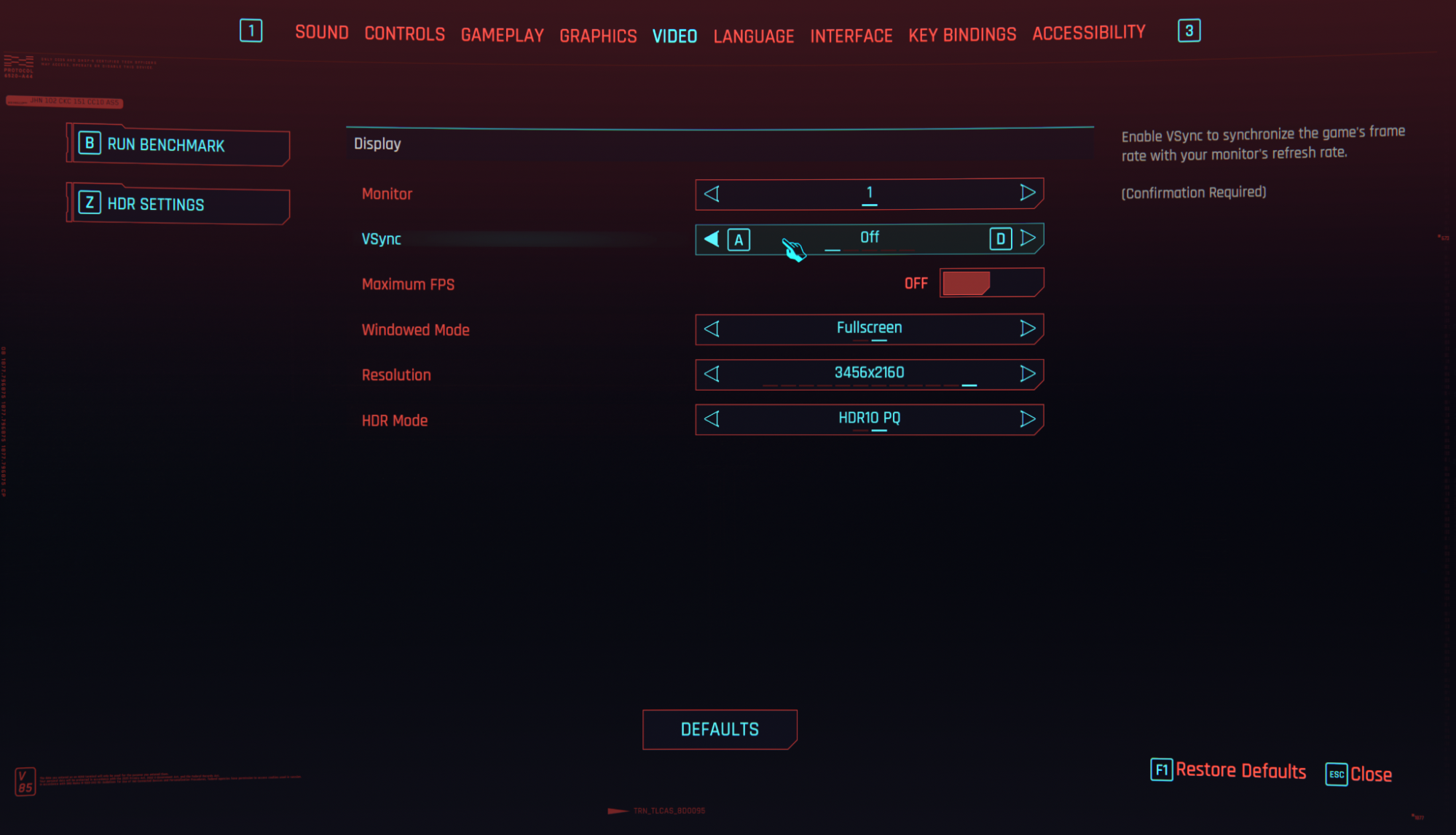
In the ‘Video’ settings tab, set VSsync to ‘Off’, Windowed Mode to ‘Fullscreen’ and Resolution to 4K, or the nearest resolution your device supports. 16” MacBook Pros may say 3456x2160, 14” may say 3024x1890. Press B to run the benchmark
3
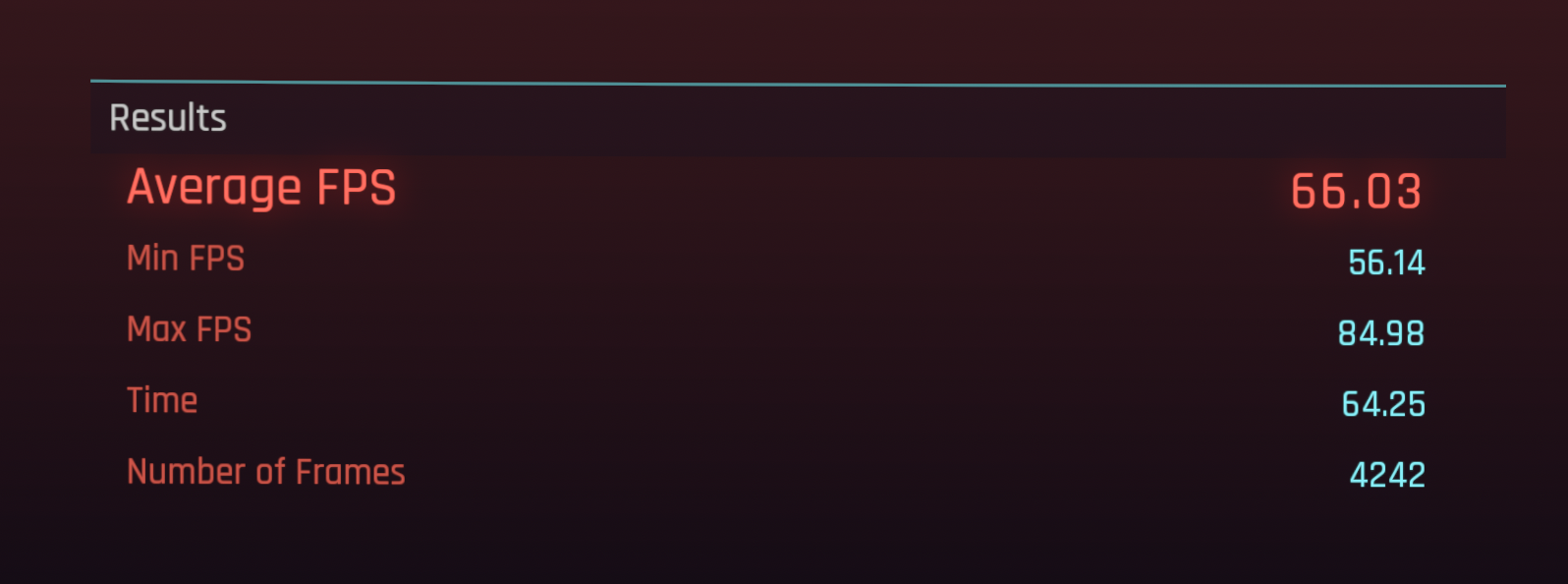
Note the Average FPS; this is your ‘Ray Tracing: Ultra 4K’ score.
4
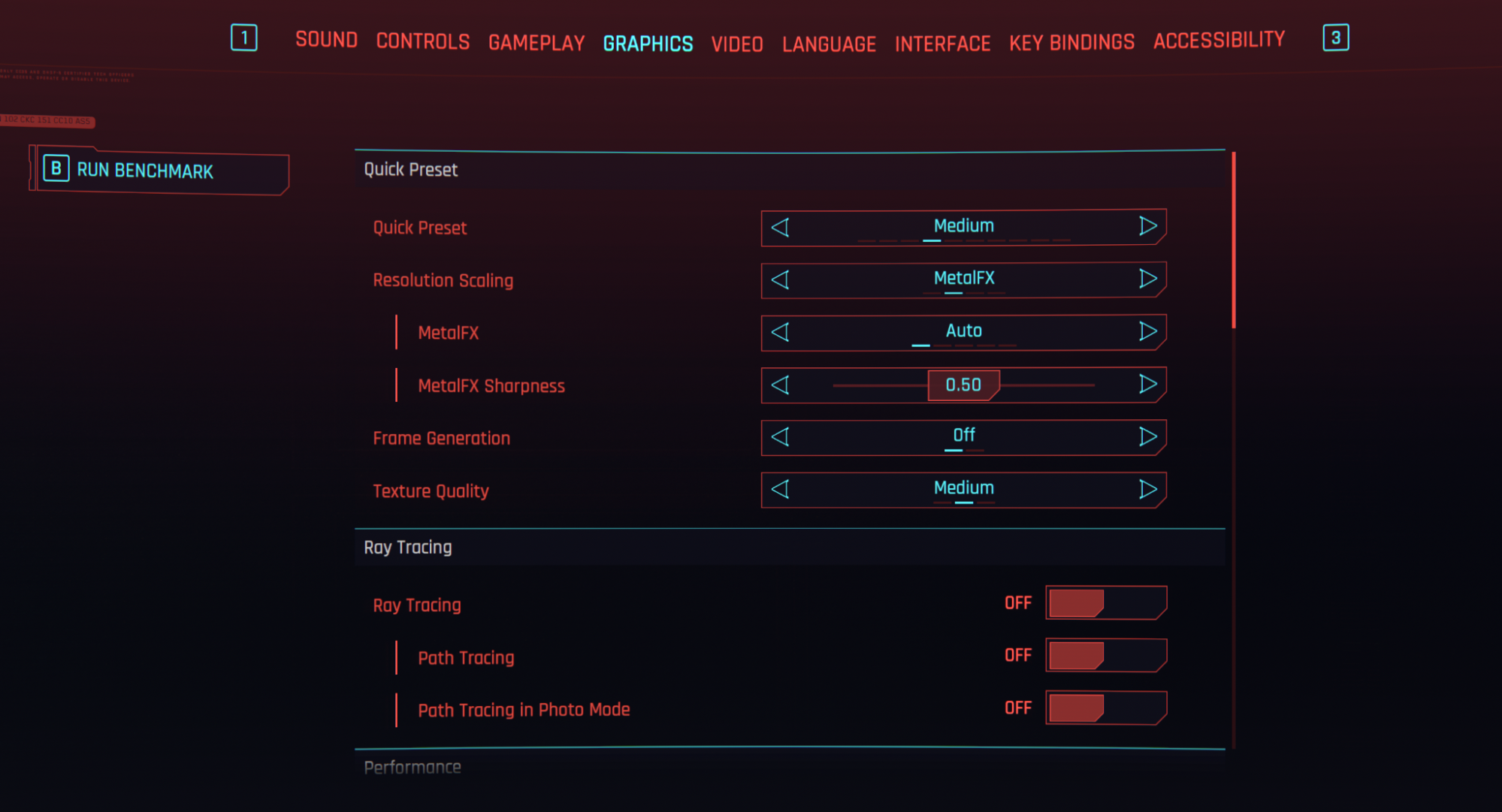
Next, keep the ‘Video’ settings unchanged and run the benchmark again with the ‘Medium’ preset. This is your ‘Medium 4K’ score.
Sign In to Submit Results
To contribute your benchmark data and help the community, please sign in.